Bring clarity to your next kitchen or bathroom project
Your work. Your workspace.
Business records kept separate
Your scope. Your prices.
No homeowner account needed
From proposal to signed commitment
A proposal worth opening
Let them see the possibilities.
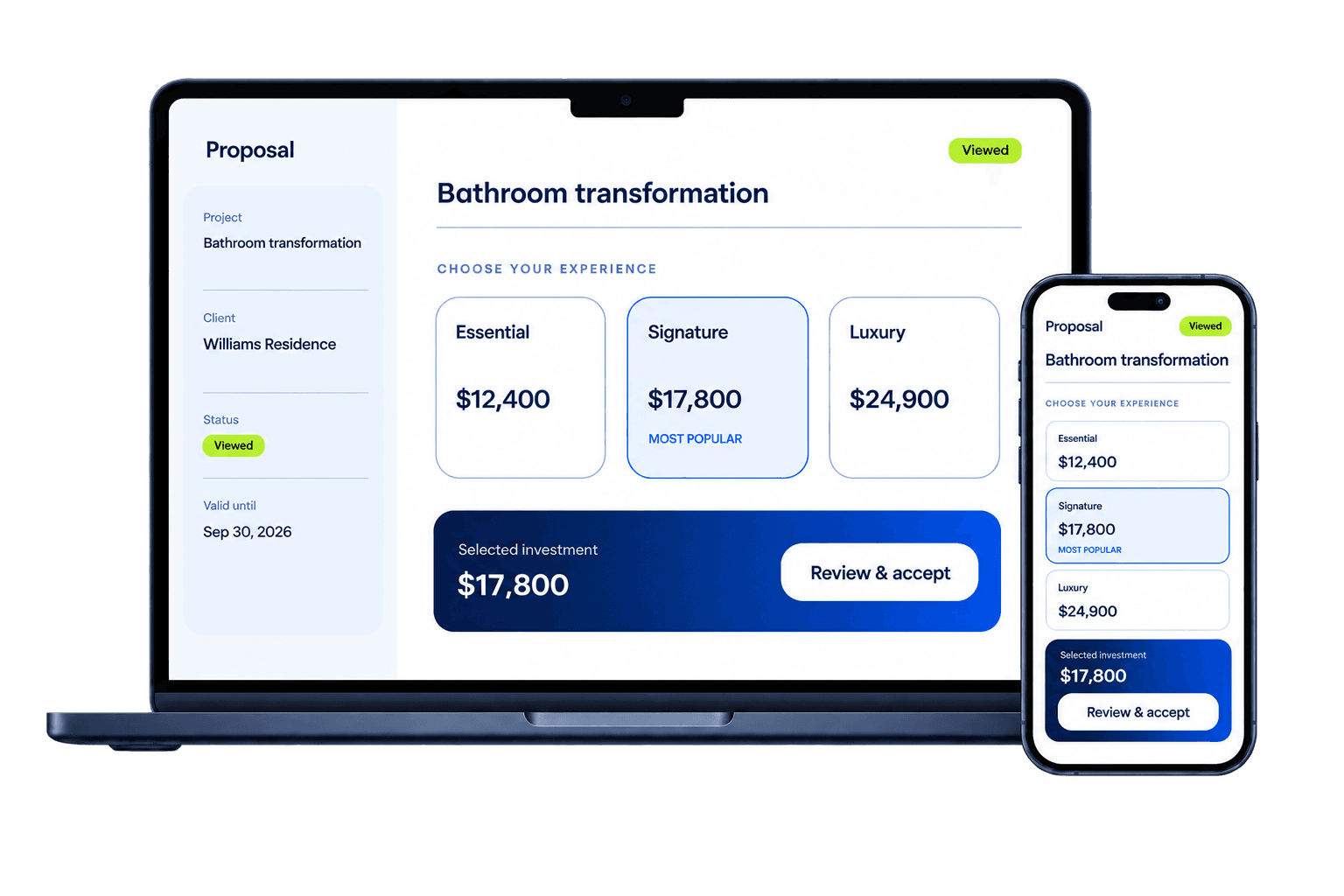
A kitchen refresh. A complete bathroom transformation. Give homeowners a clear way to compare the scope, choose their upgrades, and take the next step.
Try the sample. Change a package. See it update.
INTERACTIVE SAMPLE
Homeowner proposal preview
A bathroom, made yours.
Refresh the space with a clear scope, considered finishes, and room to upgrade.
Your selected investment
Selected investment: $17,800
Example prices in USD
Fictional project and illustrative pricing. Your business sets its own scope, prices, and terms.
Made for the way you sell
From the site visit to the signed scope.
Build the proposal, keep the conversation moving, and bring the approved details together in your contractor workspace.
Kitchen remodeling · proposal to choice
Your process. Ready to reuse.
Save your proposal structure as a company template. Adapt the scope, finish packages, and upgrades for the next home.
A head start on the scope.
Draft scope and package ideas with AI assistance. You review the details and set every price before sending.
See proposal activity, pipeline value, and opportunities that need attention in your contractor workspace.
Bring your sales team along.
Work from a shared workspace, with access that follows each person's role and project assignments.
Bathroom remodeling · a written commitment
Keep the agreed scope clear.
Keep the signed agreement and every approved change together, with versions and timestamps you can refer back to.
One project. One connected story.
Move between the homeowner, proposal, agreement, deposit record, and change orders without losing the context.
Homeowner view
No workspace account required
1
Compare packages and inclusions
2
Select optional upgrades
3
Approve the chosen investment
4
Review and sign the agreement
5
Continue to the configured deposit method
One homeowner link
A clear next step on every screen.
The homeowner experience stays focused on the project in front of them. Send one project link. Homeowners compare your options, review the selected scope, and continue through the available signing and deposit steps without creating an account.
Responsive proposal and signing experience
Clear prices for packages and optional upgrades
A written record of the agreed scope and changes
A deposit step connected to your configured payment method
Built with care
Your projects deserve careful handling.
RenoCue separates contractor workspaces at the database and keeps sensitive provider credentials on the server. Public decision links expose only the records needed for that exact action.
Your workspace stays yours
Database access policies separate your business records from other contractor workspaces.
Stay in control of shared links
Homeowner links can expire or be revoked. Server-side checks validate access to the shared project.
Keep a record of the decision
Approvals, signatures, revisions, and verified payment events retain their history.
Security controls reduce risk but do not replace the contractor's legal, privacy, retention, payment-provider, and account-security responsibilities.
Practical answers
A few things before you get started.
The product stays focused so contractors can adopt it without replacing their existing accounting or operations system.
Is RenoCue another contractor operations platform?
No. RenoCue is intentionally focused on the sales-closing journey: proposal, homeowner decision, agreement, signature, deposit, and change orders.
Does a homeowner need an account?
No. The contractor sends a secure link. The homeowner can review the proposal and complete the available decision steps without joining the contractor workspace.
Can RenoCue calculate my project price for me?
RenoCue organizes and calculates the pricing entered by the contractor. Starter templates contain no assumed prices, and AI assistance does not invent pricing.
How are card payments handled?
When Stripe is configured, payment details are entered on Stripe-hosted checkout. RenoCue does not collect raw card details. Live payments remain disabled until the contractor completes provider setup.
Can my sales team use it?
Yes. Owners and admins can manage the shared workspace, while salesperson access follows role and project-assignment boundaries.
Ready for a clearer close?
Give your next project a clearer start.
Create your contractor workspace, bring in the next opportunity, and guide it from proposal to signed commitment.